Team Profile PowerPoint Slides Bundle: A Practical Tool for Visual Storytelling
Why This Slide Bundle Stands Out
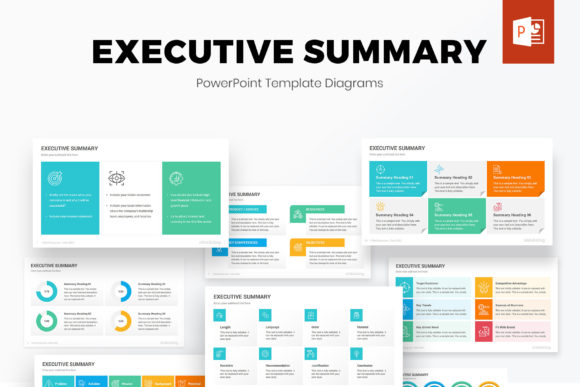
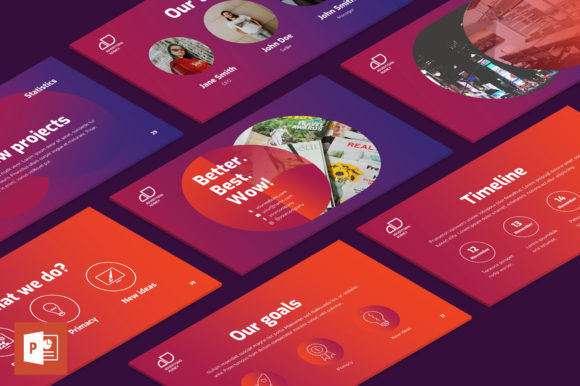
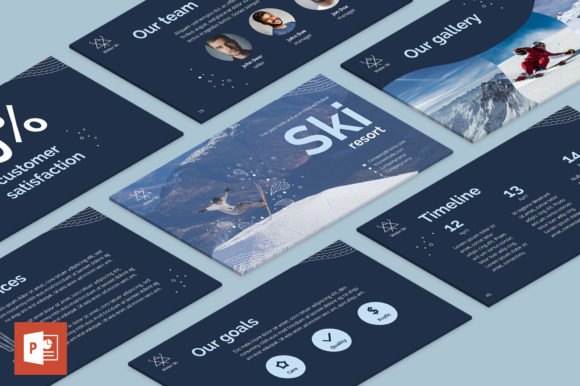
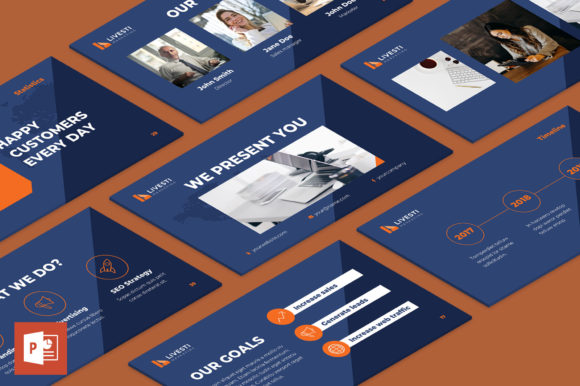
The Team Profile PowerPoint Slides Bundle is a comprehensive presentation toolkit designed for professionals who need to showcase team structure, roles, and dynamics clearly and effectively. With 45 fully editable slides, over 6,500 icons, and 90 color themes, this bundle provides a flexible foundation for creating visually engaging presentations. Whether you're pitching to investors, introducing your team to clients, or preparing internal reports, this pack offers the tools to turn complex data into clean, compelling visuals.
Key Features That Support Professional Use
At its core, the Team Profile PowerPoint Slides Bundle delivers a balance of functionality and design. Each slide is built with vector-based graphics and smart objects, ensuring that resizing or recoloring elements doesn’t compromise quality. The inclusion of two aspect ratios—4:3 and 16:9—makes it adaptable for different screen formats, from traditional projectors to modern displays.
One of the standout features is the one-click color theming, which allows users to apply a consistent palette across all slides, icons, and fonts instantly. This eliminates the need for manual adjustments, saving time and reducing design inconsistencies. Additionally, the pre-built slide master ensures that image placement remains uniform throughout the presentation, which is especially useful when working with team photos or branded visuals.
- 45 professionally designed, editable slides
- 90 pre-made color themes with one-click application
- 6,500+ scalable icons for visual clarity
- Editable vector graphics and smart objects
- Slide master templates for image consistency
Usability and Workflow Efficiency
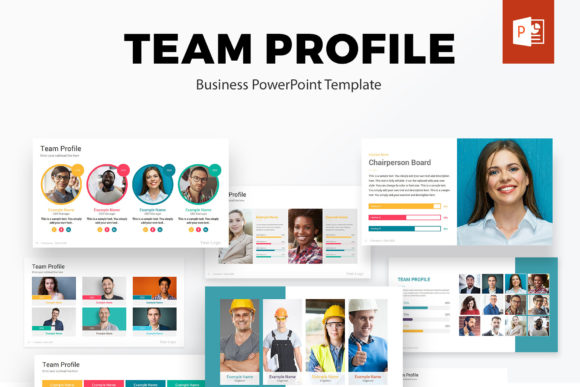
For users who regularly create presentations—whether in marketing, HR, business development, or education—the Team Profile PowerPoint Slides Bundle streamlines the design process. The ready-to-use layout templates reduce the time spent on formatting, allowing more focus on content delivery. For example, a startup founder preparing a pitch deck can quickly insert team profiles using the built-in image holders, apply a branded color scheme with one click, and use relevant icons to highlight roles and responsibilities.
The flexibility of the templates also supports customization. Users can easily swap out fonts, adjust color palettes to match brand guidelines, or restructure slide layouts without breaking the visual flow. This level of control is especially valuable for professionals who need their presentations to reflect a cohesive brand identity while maintaining visual interest.
Design Quality and Visual Impact
The design language of the Team Profile PowerPoint Slides Bundle leans toward minimalism and clarity. Each slide is uncluttered, making it easy to layer in data, text, or visuals without overwhelming the viewer. The use of clean lines, balanced spacing, and well-structured infographics ensures that the audience can absorb information quickly and intuitively.
Icons play a key role in enhancing visual communication. With over 6,500 icons included, users can illustrate roles, departments, and team dynamics with precision. For instance, an HR manager presenting organizational structure can use distinct icons to differentiate between departments, leadership roles, and support functions—making the information more digestible at a glance.
Who Benefits Most from This Bundle?
This bundle is especially useful for professionals who frequently present team-related content. Here are a few examples of users who can benefit:
- Startup Founders: Use the templates to introduce your core team in pitch decks, investor presentations, or recruitment materials.
- HR Professionals: Create onboarding presentations, organizational charts, or company culture slides with visual clarity.
- Project Managers: Present team structures and role breakdowns during kickoff meetings or status updates.
- Marketers: Showcase internal teams in client-facing decks or use team profiles in case studies and proposals.
- Educators and Trainers: Develop engaging team-building or leadership training materials with visual aids.
Real-World Performance and Practical Considerations
In practical use, the Team Profile PowerPoint Slides Bundle performs well across different presentation contexts. Its compatibility with both 4:3 and 16:9 formats makes it versatile for screen sizes and display environments. The bundled fonts and icons are licensed for commercial use, which removes potential copyright concerns when presenting externally or distributing materials.
However, users should be aware that while the templates are easy to edit, some customization may require basic design knowledge. For example, adjusting the color themes manually or integrating complex infographics may require familiarity with PowerPoint’s editing tools. Still, the majority of the features are intuitive enough for non-designers to use effectively.
Long-Term Value and Flexibility
One of the strongest selling points of this bundle is its reusability. Since the templates are fully editable and come with a wide variety of themes and icons, they can be adapted for multiple presentations across different industries. A single purchase can serve multiple departments within an organization or be repurposed by freelancers for various client projects.
The inclusion of a slide master and pre-styled image placeholders also contributes to long-term efficiency. Users can build a library of branded slides that maintain visual consistency over time, reducing the need to start from scratch with each new presentation.
Final Thoughts: A Worthwhile Investment?
For professionals who regularly create team-related presentations, the Team Profile PowerPoint Slides Bundle offers a practical, time-saving solution with strong visual appeal. Its combination of flexibility, design quality, and usability makes it a valuable asset for anyone looking to present team data in a clear and engaging way. While it may not replace the need for custom design in high-end branding projects, it more than covers the needs of most business and educational use cases.
If you're looking for a way to elevate your presentations without spending hours on formatting, this bundle is worth considering. It supports both efficiency and professionalism—two essential components of effective communication in today’s fast-paced work environment.